
Microsoft Copilot Chat (Mobile & PC)
Microsoft Copilot App (mobile)
Launch the Microsoft Copilot app on your Mobile device.
Ensure Work Tab is selected.
Type or use your voice to input the following prompt:
textcan you find me any emails from earlier today from my colleague [colleagues name] and list up any action itemsAnother example you could use:
textsummarize the info you have on <Customer XYZ> in my calendar for this week
Microsoft Copilot Chat
Launch Copilot Chat by navigating to m365copilot.com.
With Copilot Chat open, ensure the Work tab is selected.

Type in the following prompt:
textWhat are the key steps we should take to launch a successful awarness Campaign within our company for [topic - example "AI"]?Next, export the response to Pages by select Edit in Pages:

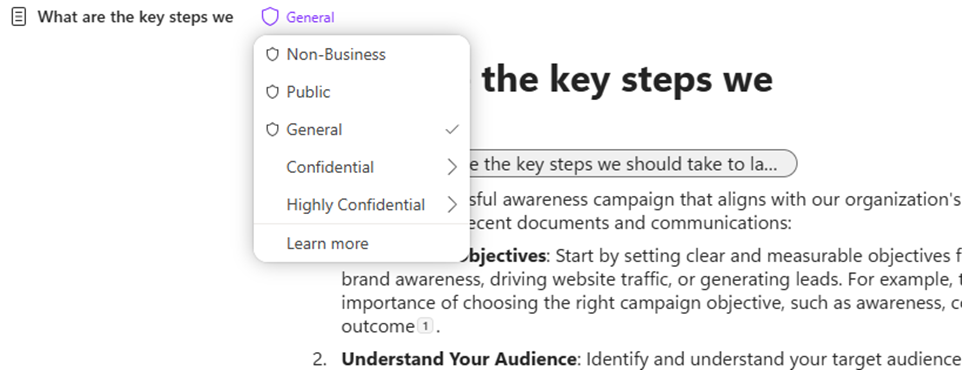
Next, showcase sensitivity labels can be set within the page:
Continue working with the page by typing in the following prompt:
textCan you elaborate more on how we can monitor and measure success of a new awareness campaign for [topic - example "AI"]?At the bottom of the page, type the at symbol (@). This opens up a context menu to browse for people, files, meetings, and more:
Add any of your colleagues from the list of people.
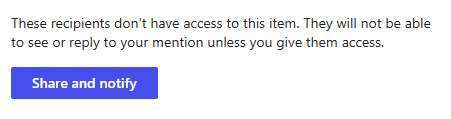
After adding your colleague, click on their name to give them access. They'll receive an email notification with a link to collaborate on the Page:
Once your colleague has access, they're free to continue working on the page through Outlook, pages, or loop.
1---