Dispatch

Get behind the board.
You start from a working routing dashboard. You make it yours, prove the code catches an under-specified request the model might route anyway, then pick a path to take it further.
What you're solving
One triager isn't enough when the same skilling request means different work to different teams - and one team's deliverable is another team's reuse. A governance-before-GA ask is an evergreen path, a live workshop, and a partner activation all at once; the plan is to build it once and reuse it.
This altitude solves a second problem too: a model is good at contextual judgment, but it can also route a request that isn't ready. Your room pairs both - the model reasons out each team's position, and code checks what's countable, so a rough idea gets flagged "sharpen first" instead of confidently routed.
What your team will have built
| Piece | What it does |
|---|---|
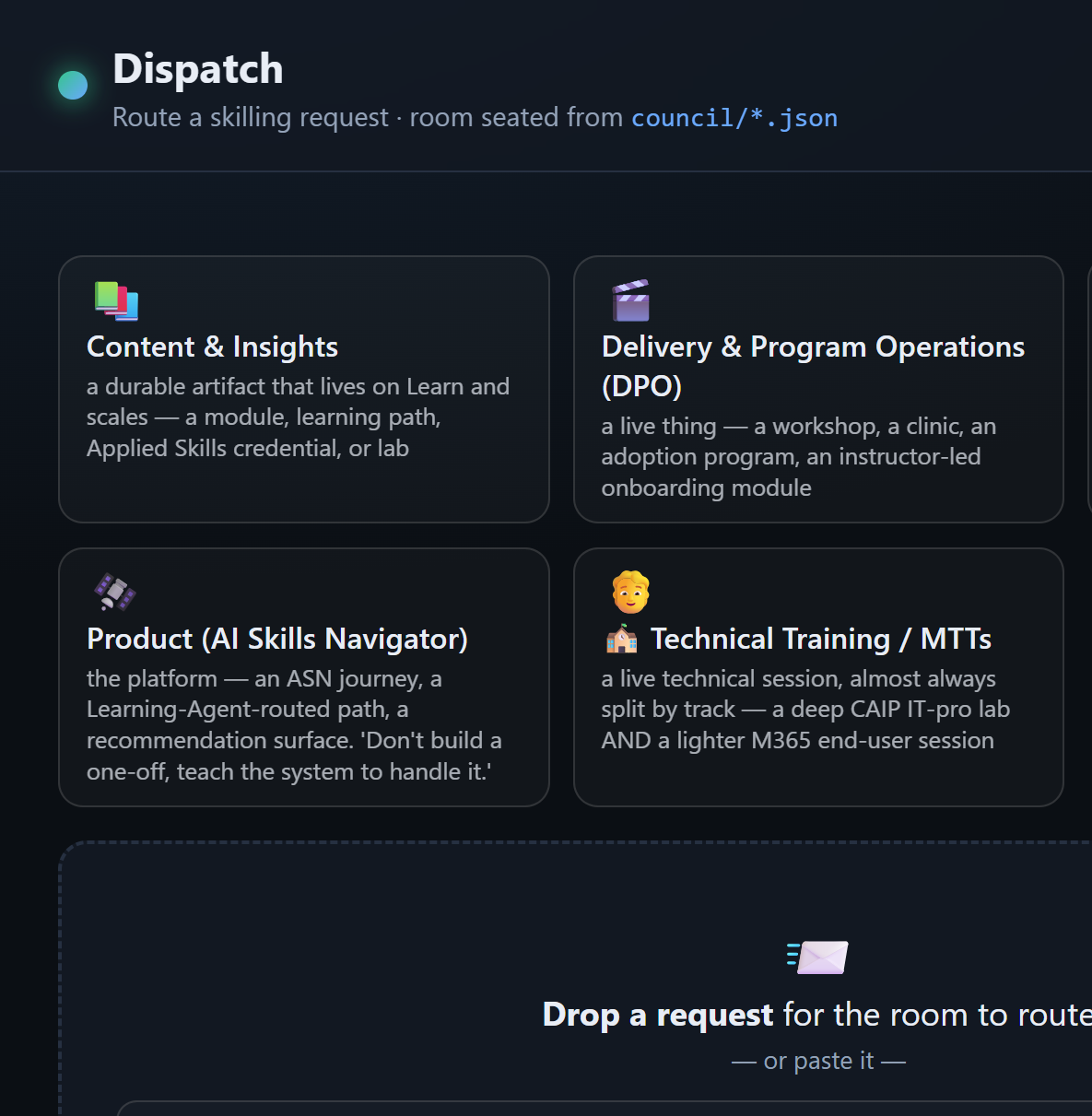
| The board (provided) | A live dashboard: drop a request, every seated team takes a position, and the room lands one routing decision. |
| Your room | Your real teams as council/*.json - the room routing your request. |
| The intake gate | A deterministic check (check_content.py) that says whether a request is routable before the room decides. |
| Your path | Either a live seat editor on the board, or acting on the decision - wiring it to a real next step. |
How this runs
You start from a working board and make it yours. This is the contract, not a click-path - the board marks every build path, and Copilot Chat builds each one with you.
| Step | You're done when | |
|---|---|---|
| 1 | Start the board | http://localhost:4173 is up and the Copilot CLI is signed in. |
| 2 | Dispatch & watch it split | The same request draws different, charter-backed positions - no code yet. |
| 3 | Seat a team that splits | Your own team lands a different position than another on the same request. |
| 4 | Wire the intake gate | A rough idea gets flagged "sharpen first" before the room routes it. |
| 5 | Pick a path | You ship it further - a live seat editor (A) or acting on the decision (B). |
The MCP bonus is there for teams who want the room callable from other agents.
Before you start
Download all three and unzip them into one folder. Keep the-dispatch-starter, the-dispatch, and dispatch-data side by side.
You'll need three tools installed. On Windows the fastest way is winget from a privileged (Administrator) terminal:
winget install OpenJS.NodeJS.LTS     # Node - runs the board
winget install Python.Python.3.12    # Python 3 - runs the intake gate
# reopen your terminal so Node is on PATH, then:
npm install -g @github/copilot       # GitHub Copilot CLI - the board calls it
Prefer installers? Grab Node.js, Python 3, and the GitHub Copilot CLI. Then run copilot once and sign in.
Build with whichever GitHub Copilot surface you like - VS Code, the Copilot CLI, or the GitHub Copilot app - but the board calls the Copilot CLI behind the scenes, so keep it signed in.
Node is required to start the board; Python 3 is only needed once you wire the intake gate in Step 4 (until then the board runs and the gate shows "not built"). Open the the-dispatch-starter project in VS Code.
The starting point
Now that you have the project downloaded, it's time to get started on the build.
The board points out what to build
Anywhere the board shows an amber "not wired" marker - the intake badge and Act on this decision - that's a build path. The runs use a pinned model (claude-sonnet-5) and fall back to the CLI default if your account can't use it; change it with DISPATCH_MODEL if you like.
1 · Start the board
Open a terminal and navigate to the folder where you extracted your zip files.
cd the-dispatch-starter/dashboard
npm install
npm start
Open http://localhost:4173. The startup line confirms your Copilot CLI is found and signed in. If it isn't, install it and sign in, then restart.
Done when: the board is up and the startup line confirms the Copilot CLI is signed in.
2 · Dispatch a request
Drop or paste a request (dispatch-data/requests/RQ-01-agent-governance-before-ga.md) onto the board. A single triager - whose one-owner decisions ship recorded in the pack - could only say "send it to Content & Insights." Your room agrees on the owner but splits on the plan: C&I builds the governance path once, Delivery reuses it live, Field & Partner reuses it regionally, and the real first audience is partners. Each position is grounded in a team's charter.
No code yet - one owner becomes a plan with reuse.
Done when: the same request draws different positions from the teams, each charter-backed.
3 · Seat a team that splits
A seat is one team. It says what it owns, who it serves, and what makes it want a request or pass it on. Each seat is a small file in the council/ folder, and five teams already ship.
Add one for a team you work with. The whole trick is the charter: give it a different instinct than the others - a different audience, a different format bias - so it disagrees about the plan. (A team that would route everything the same way as another is a duplicate.)
You don't have to hand-write the file. Open something that knows you - Copilot, Cowork, or Scout - point it at the sample council/team.example.json, and ask:
Create
my-team.jsonfor [your team], in the same shape asteam.example.json: what it owns, who it serves, what makes it say yes or no, and its format bias.
When you read what it makes, three things matter:
- owns / serves is what makes a request theirs.
- says_yes_when / says_no_when is the instinct that makes it want a request or pass - this is what splits the room.
- format_bias is the shape it pushes work into - often the deliverable it wants in the plan.
Save it in council/ under a new name (reusing an existing name overwrites that seat), then hit Reload room on the board.
Done when: your team lands a different position than another team on the same request.

Code the room.
4 · Wire the intake gate
Your room's positions come from the model - sharp on judgment, but it will happily route a request that isn't ready. The intake gate is the countable half: does the request even name an audience, a topic, and an outcome? A rough idea (an IDEA-…) shouldn't be confidently routed - it should be sharpened. That's a check, not a vibe.
Two small jobs - and you don't write either from scratch. The starter leaves the gate half-built with notes right in the file, and GitHub Copilot Chat can see all of it. Your job is to decide what makes a request routable; let Copilot write the code with you.
Turn the gate on. One starter file (
check_content.py) is left unfinished - which is why the board says the intake gate isn't built. Open it: the note at the top explains, in plain English, exactly what it hands back -{routable, present, missing, detail}.dispatchlib.parse_requestalready does the parsing; you decide present vs missing against the required fields. Point Copilot Chat at that file and have it finish the gate.Add a guardrail of your own. The gate checks the request; a guardrail checks the decision. Pick one from
dispatch-data/policy/ROUTING-RULES.md- for example, "a credential deliverable needs stable objectives," or "a partner audience must involve Field & Partner" - and have Copilot add it.
What's actually expected of you
You do not need to be a Python developer. The starter and Copilot Chat write the code - you decide what makes a request routable and confirm it fires. You're done when a rough IDEA-… gets flagged "sharpen first" and a formed RQ-… passes.
Done when: you drop a rough idea and the board flags it "sharpen first" before the room routes it.
Pick a path
You've got a working room seated with your own teams and an intake gate that won't route a guess. Now take it further. Completing either path - A or B - is your finish line.
- Path A is front-end (a UI in the browser - JS and a little Node).
- Path B is back-end (Node, plus the tracker or channel you route into). Both are clear build paths, and Copilot Chat builds each with you.
Pick the one that matches how you like to build; the bonus is for teams who want to push further.
Bonus - make the room callable by other agents (MCP)
The board is one surface. An MCP server exposes the room as tools so your other agents - Cowork, Scout, a VS Code chat agent - can dispatch to it too. The starter ships mcp_server.py with the thin tools (list_room, check_routable, routing_rules) already working and dispatch left as a TODO.
- Run it:
python mcp_server.py(stdio) orpython mcp_server.py --http, then calllist_room/check_routablefrom an MCP client to prove the plumbing with no model needed. - Implement
dispatch(request_path)- each team takes a position, then the room lands one decision. The tips point to the same Copilot-CLI pattern the board uses indashboard/server.js. - Wire it into Cowork or Scout and dispatch a request from another agent.

Intake to decision - yours.
Stuck?
| What you're seeing | What to do |
|---|---|
| The board won't start | Check Node is installed and run npm install in dashboard/ first. |
| Startup says the CLI is missing | Install the GitHub Copilot CLI and sign in, then restart the server. |
| The board can't find the room | Keep the-dispatch-starter, the-dispatch, and dispatch-data side by side. |
| Every team gives the same position | Make the team charters more distinct. |
| The intake badge says "not built" | Expected until you implement check_content.py - that wires the routable check onto the board. |
| Copilot asks too many approvals | Use --allow-all-tools only in your own exercise repo. |
🎬 Nobody nails it first try

It compiles. Mostly.
First wiring rarely compiles. Errors aren't the end - read the trace, fix a seat, run it again. Shipping is just the last retry that worked.