Module 7: Describe expense management, fixed asset management, and budgeting
Lab 4: Create budget register entries and approve them
Objectives
In this lab, you will create budget register entries and approve them. Then you will run the budget-to-actuals report. We will work with January 2018 in legal entity USMF because it contains “actuals” data in this period to compare to our budget entries.
Lab Setup
- Estimated Time: 20 minutes
Tasks
- In the Navigation pane, select Modules > Budgeting > Budget register entries.
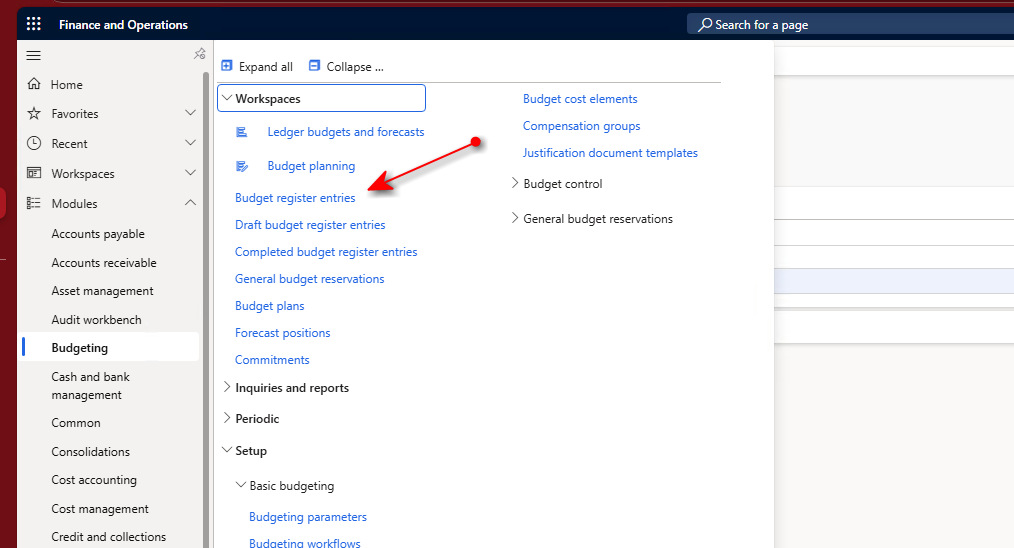
- Select New in the Action pane.
- Select FY2018 in the Budget model drop-down list.
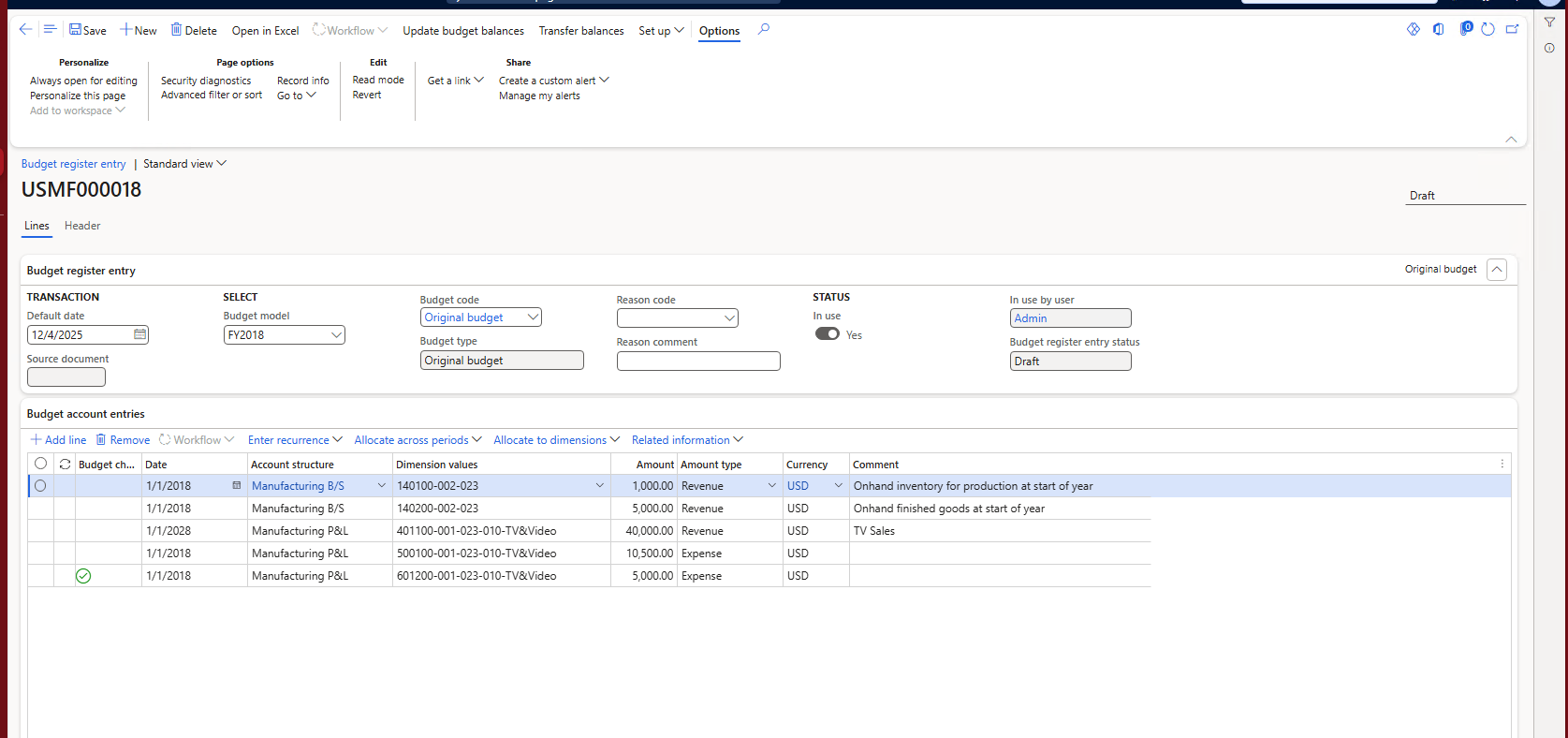
- Select Original budget in the Budget code drop-down list.
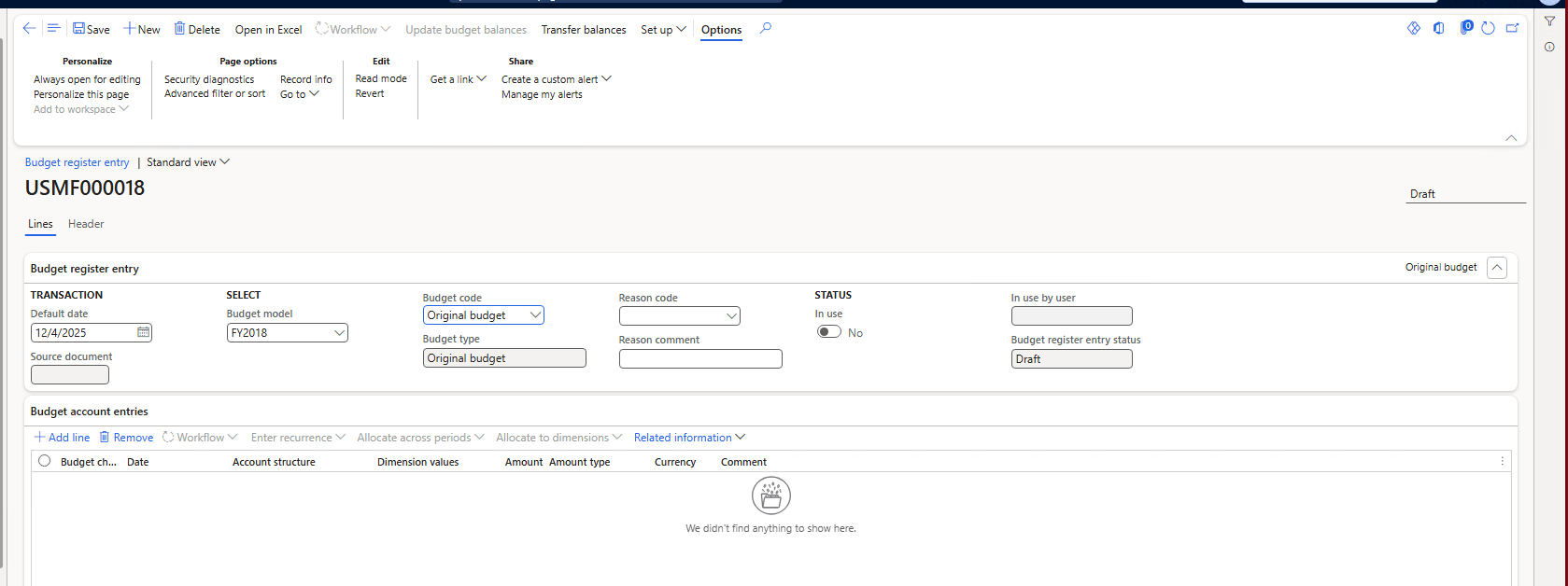
- Select the Add line menu item in the Budget account entries FastTab.
- Add the following entries:
| Date | Account structure | Dimension values | Amount | Amount type | Currency | Comment |
|---|---|---|---|---|---|---|
| 1/1/2018 | Manufacturing B/S | 140100-002-023 | 1,000.00 | Expense | USD | Onhand inventory for production at start of year |
| 1/1/2018 | Manufacturing B/S | 140200-002-023 | 5,000.00 | Expense | USD | Onhand finished goods at start of year |
| 1/1/2018 | Manufacturing P/L | 401100-001-023-010-TV&Video | 40,000.00 | Revenue | USD | TV Sales |
| 1/1/2018 | Manufacturing P/L | 601200-001-023-010-TV&Video | 5,000.00 | Expense | USD | |
| 1/1/2018 | Manufacturing P/L | 500100-001-023-010-TV&Video | 10,500.00 | Expense | USD |
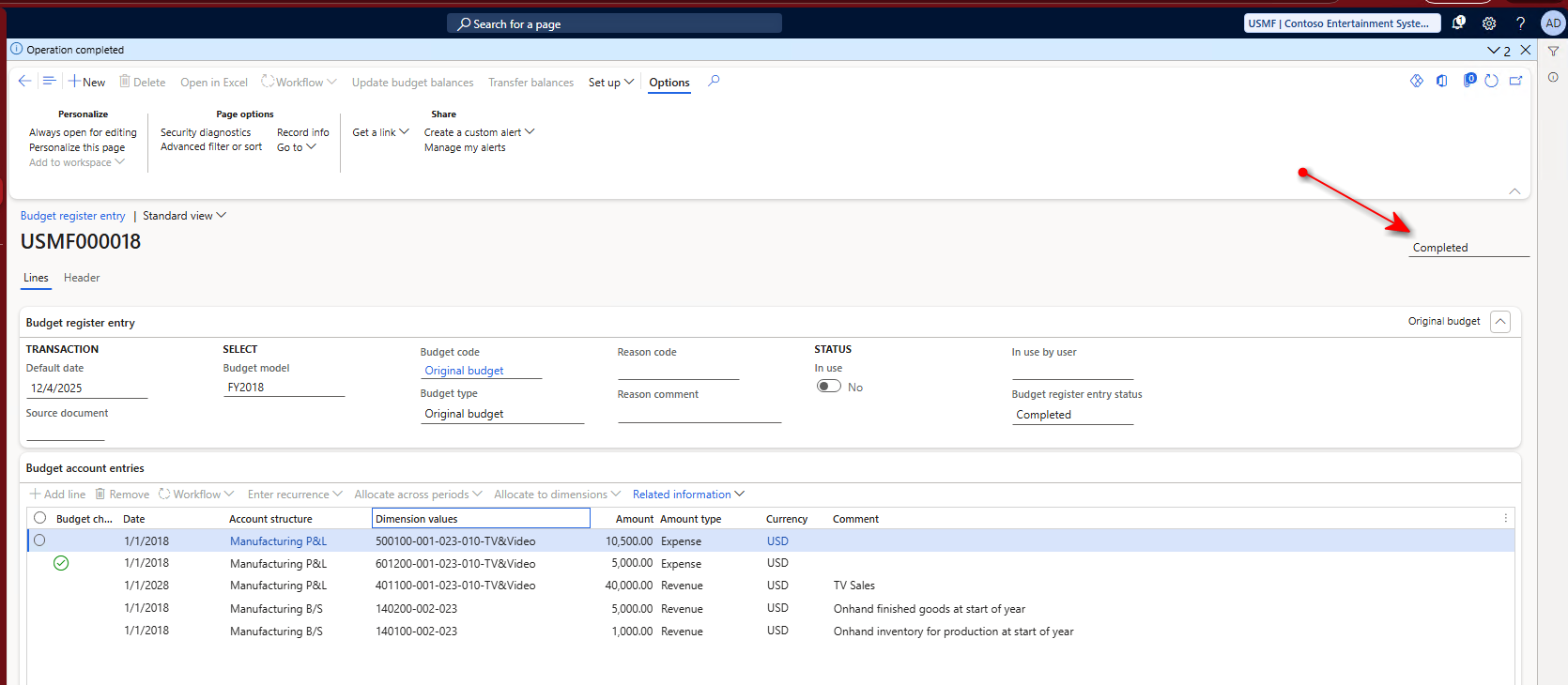
- Select Update budget balances in the Action pane at the top of the page. Leave the defaults and select Update. An Operation completed message should appear. These budget entries are no longer in draft mode and are considered your January 2018 budget. Notice how the status is changed to Completed in the upper right of the page.
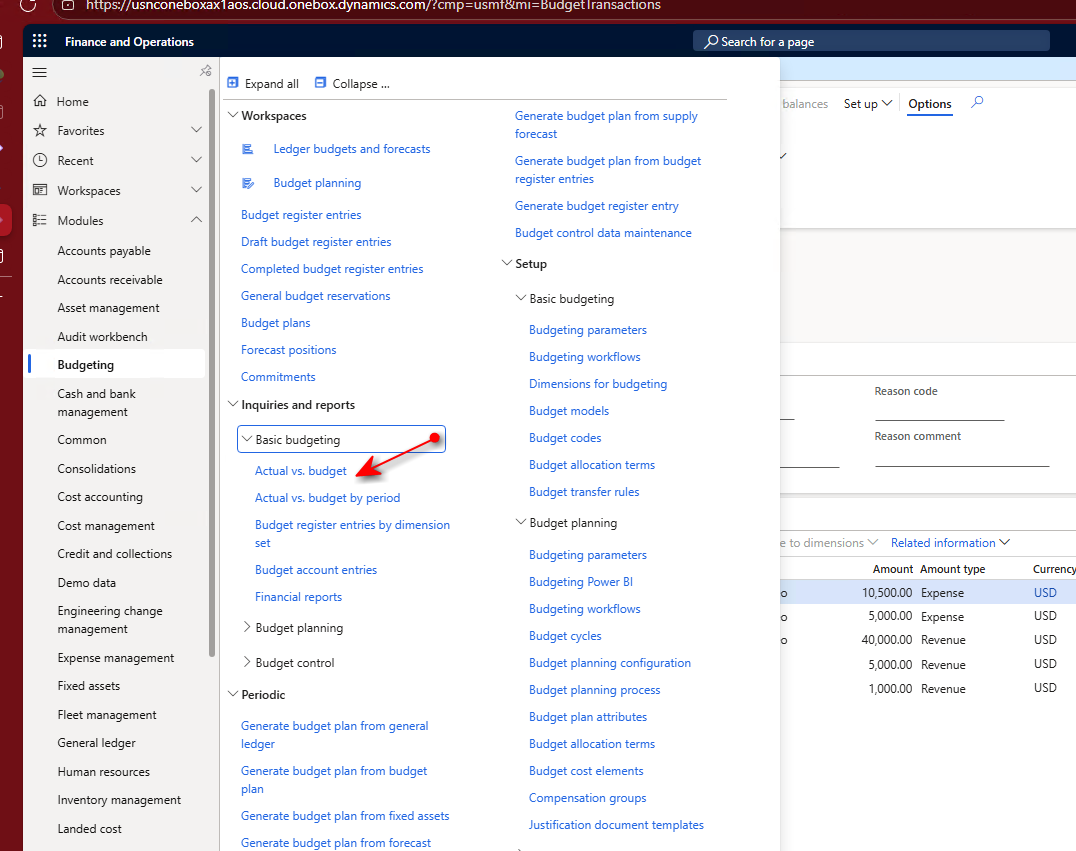
- In the Navigation pane, select Modules > Budgeting > Inquiries and reports > Basic budgeting > Actual vs. budget.
- Select MA+BU+DEPT+CC for the Financial dimension set.
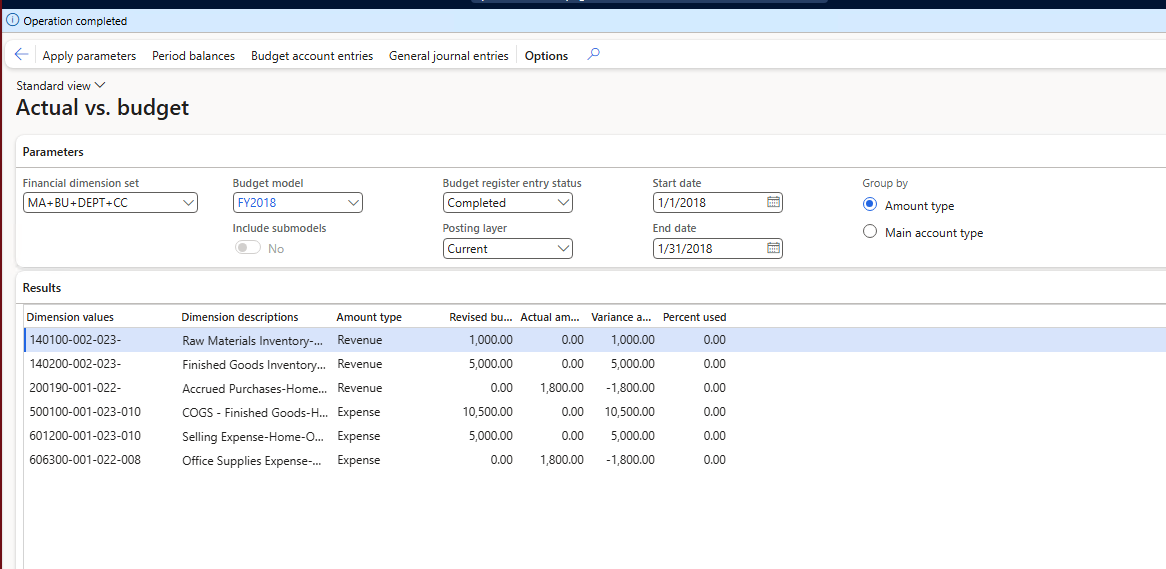
- Select FY2018 as the Budget model.
- Select 1/1/2018 as the Start date and 1/31/2018 as the End date.
- Leave other fields with default values and select Apply parameters in the Action pane.
- Review the report. Notice that two accounts had actuals for which you did not enter budget lines. The budget column is zero for those accounts. The accounts you entered budget in are showing in the Budget column with the amounts you entered.
Summary
When a full budget for the year is entered, it includes values for each period in the fiscal year. Throughout the year, the budget-to-actuals report can be run to examine how closely the actuals match the budget. When they don’t match, you should either update the budget or adjust the actuals by lowering expenses or raising revenue. The budget-to-actuals report provides a high-level view to begin the analysis of the variance. Creating a budget and periodically running the budget-to-actuals report helps a company stay on track throughout the fiscal year, adjusting budget numbers or processes so the budget and actuals align with expectations.